Editor2WebText editor for editing local and online filesGoals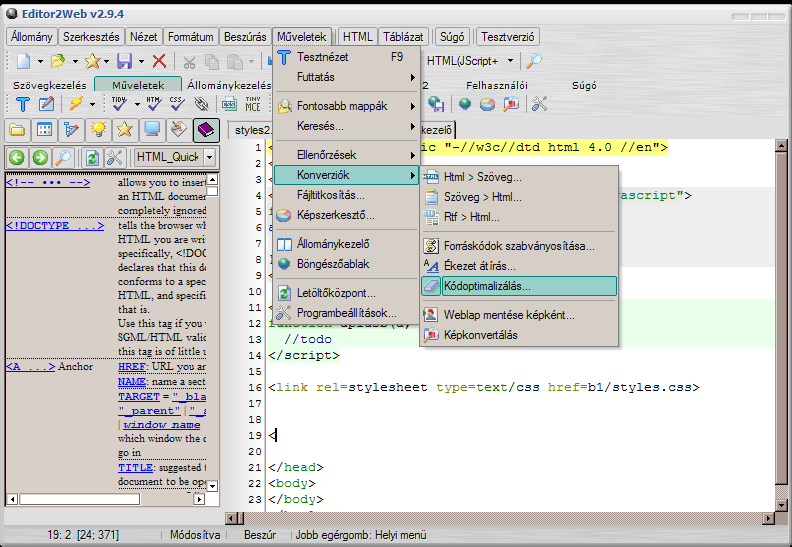 Language
- Color Highlighters: More than 300 syntax highlighters for many programming languages.
- Internal Browser: In the internal browser, you can remap the visited page (modify the properties of components), view/save its source.
- File Manager: Manage local and remote (SCP/FTP) files.
- Tables: Convert HTML tables to Excel tables and back. Create HTML tables from tables placed in Word documents.
- Dynamic online help: Dynamic help on a component of the Fairies (e.g. the body modifier fairy > in the HEAD group, a help appears when you right-click, which displays a web page about the head TAG.
- File operations: In the loaded document, you can quickly perform file operations in the File menu (copy to clipboard, rename, delete, etc.)
- WYSIWYG editing: In test view, some html components can also be modified with the mouse, or use TinyMCE (requires Internet access)
- New appearance: Skinnable program appearance with improved fairies. Elegant gradient menu and context menu.
- Code checks: In the loaded document, there is the possibility of multilingual word checking, link checking, Online HTML and CSS syntax checking and Offline HTML syntax checking (Tidy).
- Code optimizer: With its help, the documents can be converted to a significantly smaller size
- Code page conversion: Conversion between code sets (e.g. UTF-8 <-> ASCII code set).
- Clipboard manager: Continuous monitoring and saving of the clipboard.
- Workspace management: Separate workspaces can be saved, in which the current state characteristics of the program are stored in a file (e.g. list of loaded files, cursor positions, etc.).
- Comprehensive help: Pressing F1 in every window displays a CHM Windows-based help.
- Source code management: Creation of source codes, browsing those included with the program.
- HTML >< RTF and Text > < HTML conversion
<
>
- hungarian
- Editor2Web v4.3.1.0.zip (5.02 Mb)
- Editor2Web v4.3.zip (5.01 Mb)
- Editor2Web v4.2.zip (5.62 Mb)
- Editor2Web v4.zip (3.73 Mb)
- Editor2Web v2.9.6.zip (3.14 Mb)
- Editor2Web v2.9.0.7.9.zip (2.42 Mb)
List of Windows applications